Co-living management software
Co-living management software for shared homes and co-living spaces
Private rooms and shared beds, weekly or monthly stays, rent by UPI and a tenant app for every resident. Residents’ details stay on your own PC.
Two sides of every stay
Easy for residents, clear for you
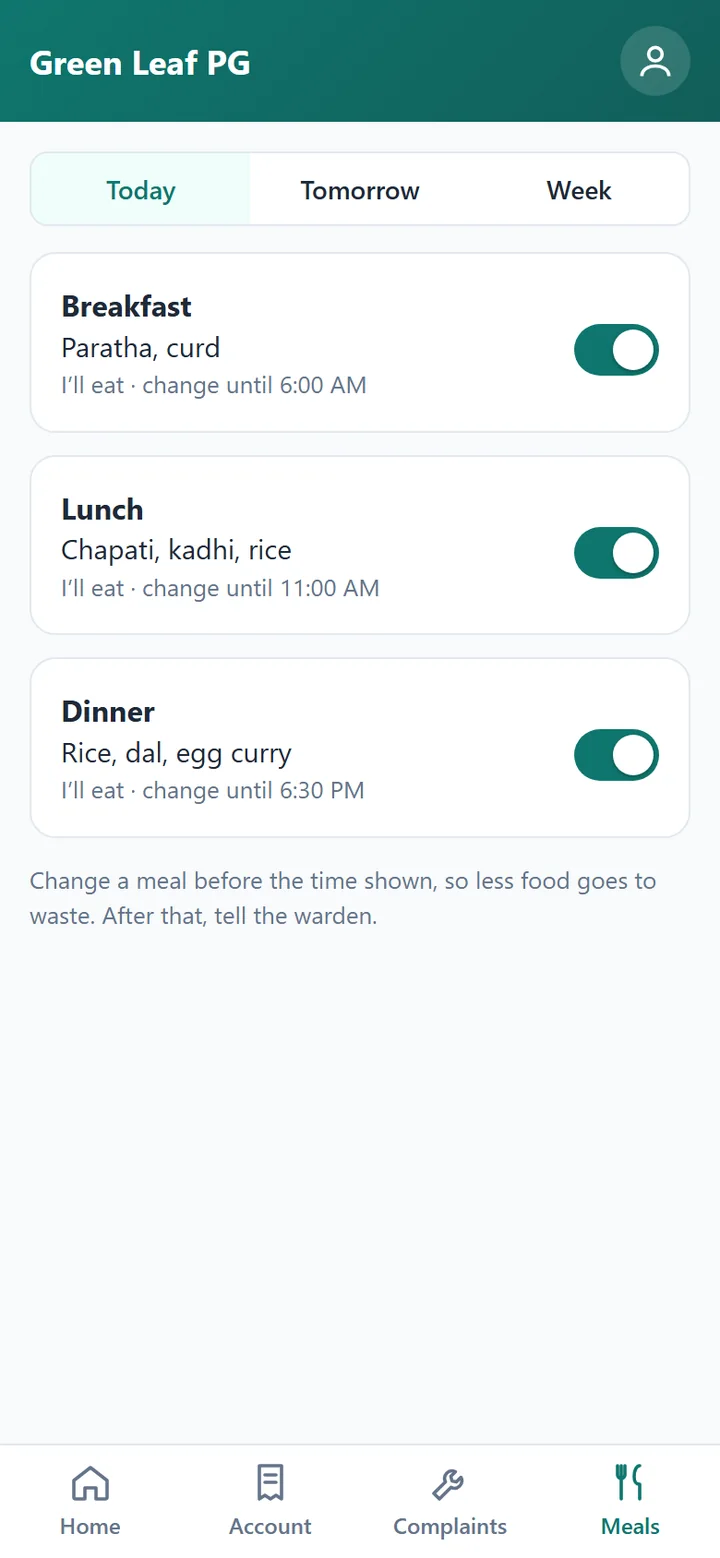
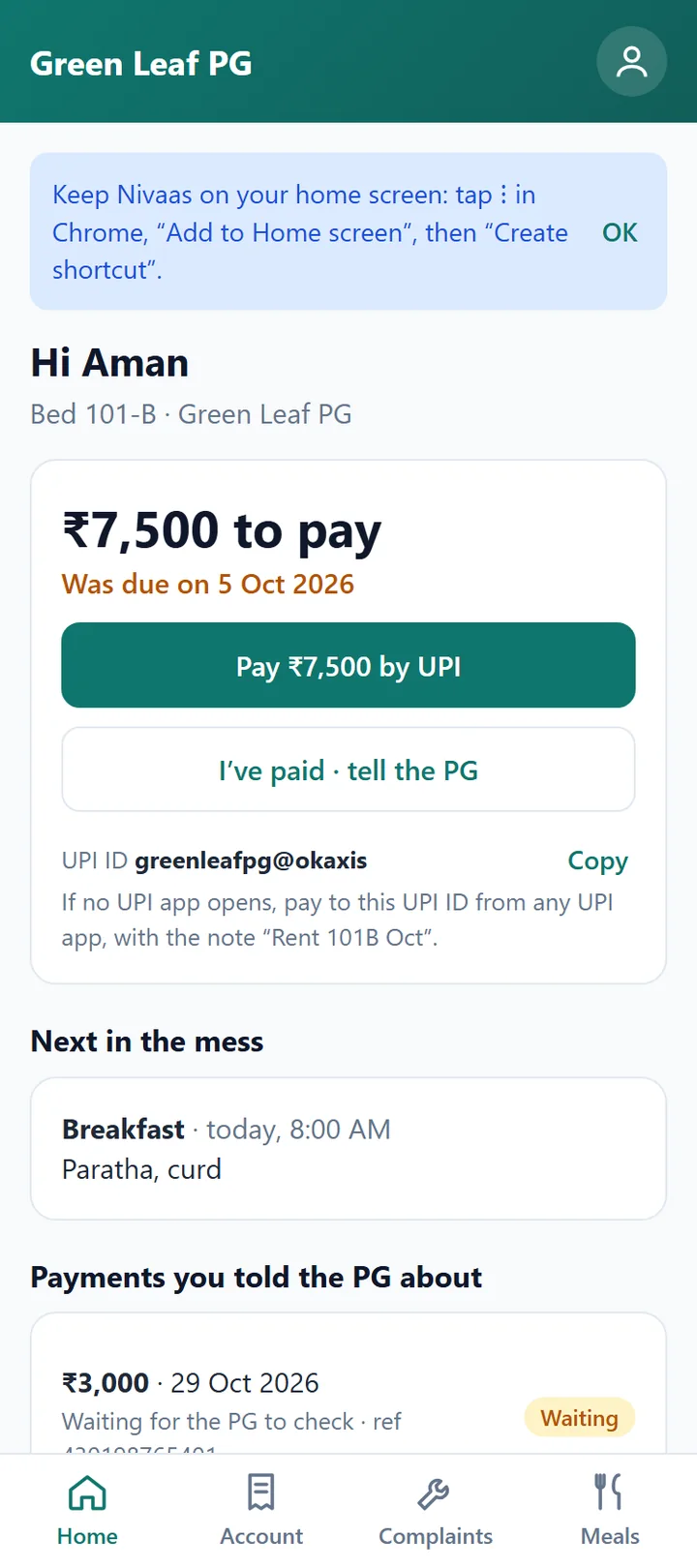
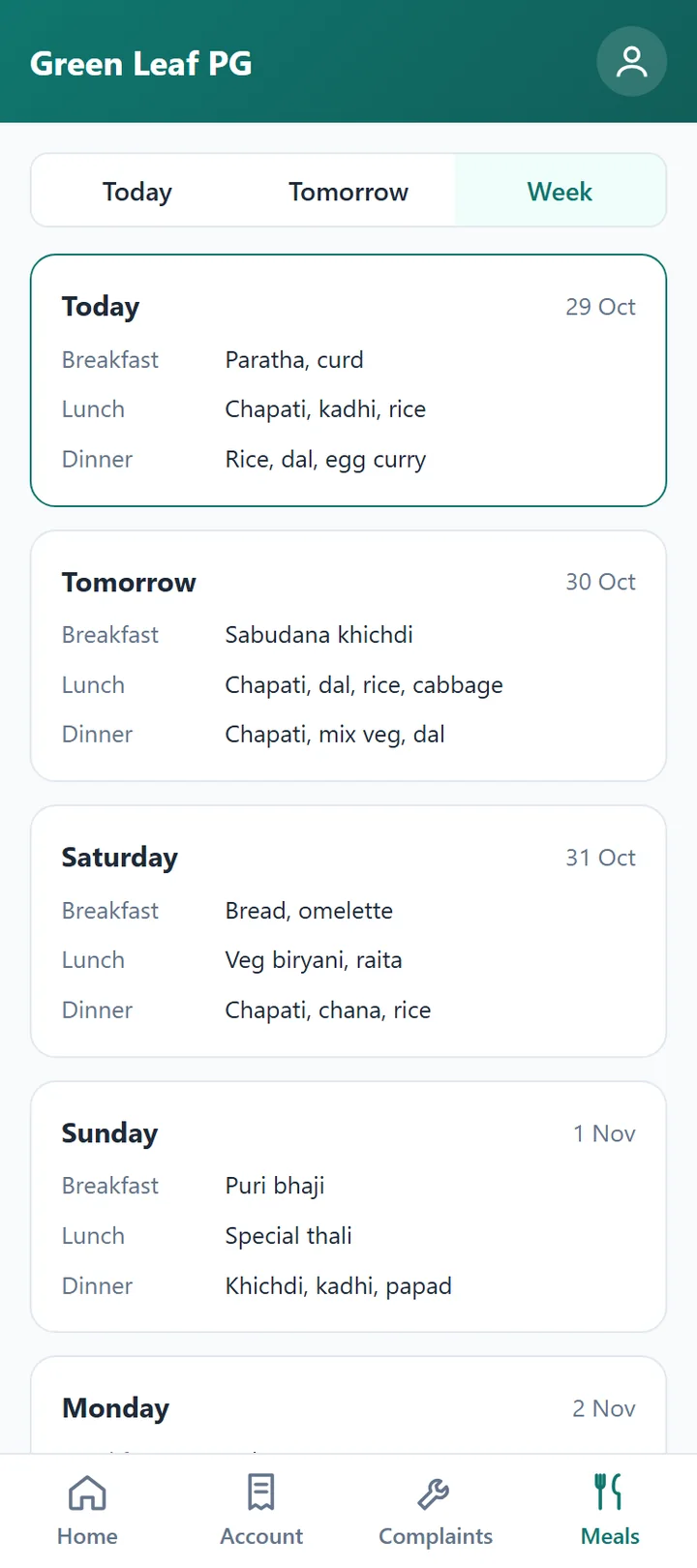
Residents do it on their phones; you see it on your PC.
Pay, report and check, any time
- Pay rent by UPI with the amount and room already filled in
- Raise a maintenance request and see when it’s done
- See their whole rent account
- Skip a meal before the cut-off time, with the mess add-on
Everything lands in one place
- Payments show on your PC for you to confirm
- Maintenance requests that you assign and close
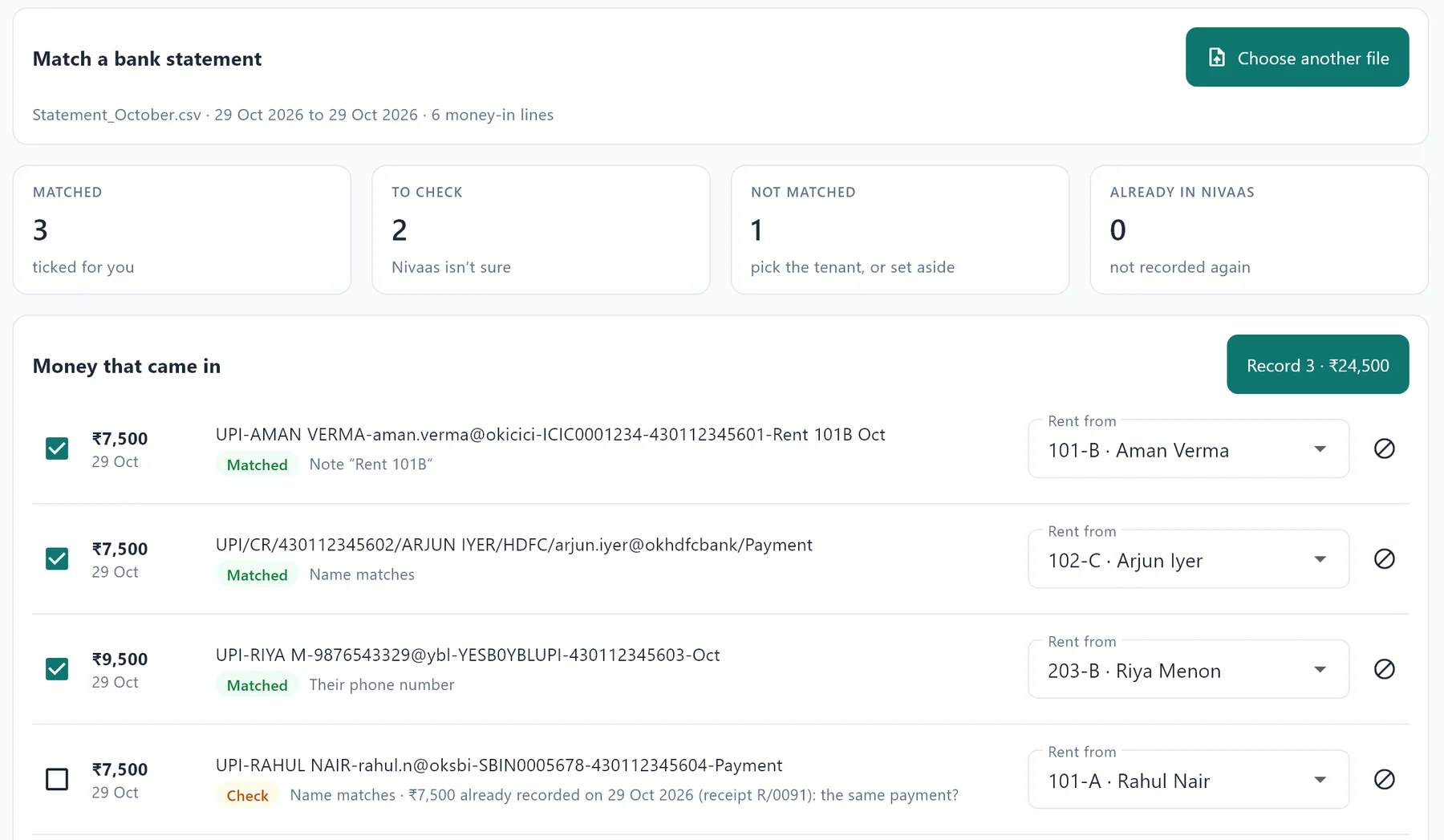
- Bank statements matched to residents in a minute
Rent management
Rent that fits every kind of stay
Each resident is billed by their own plan, from their own joining date.
Weekly
Short stays, billed week by week
Monthly
Rent from each resident’s own joining date
By term
For students, a term at a time
Yearly
With a lock-in, if you want one
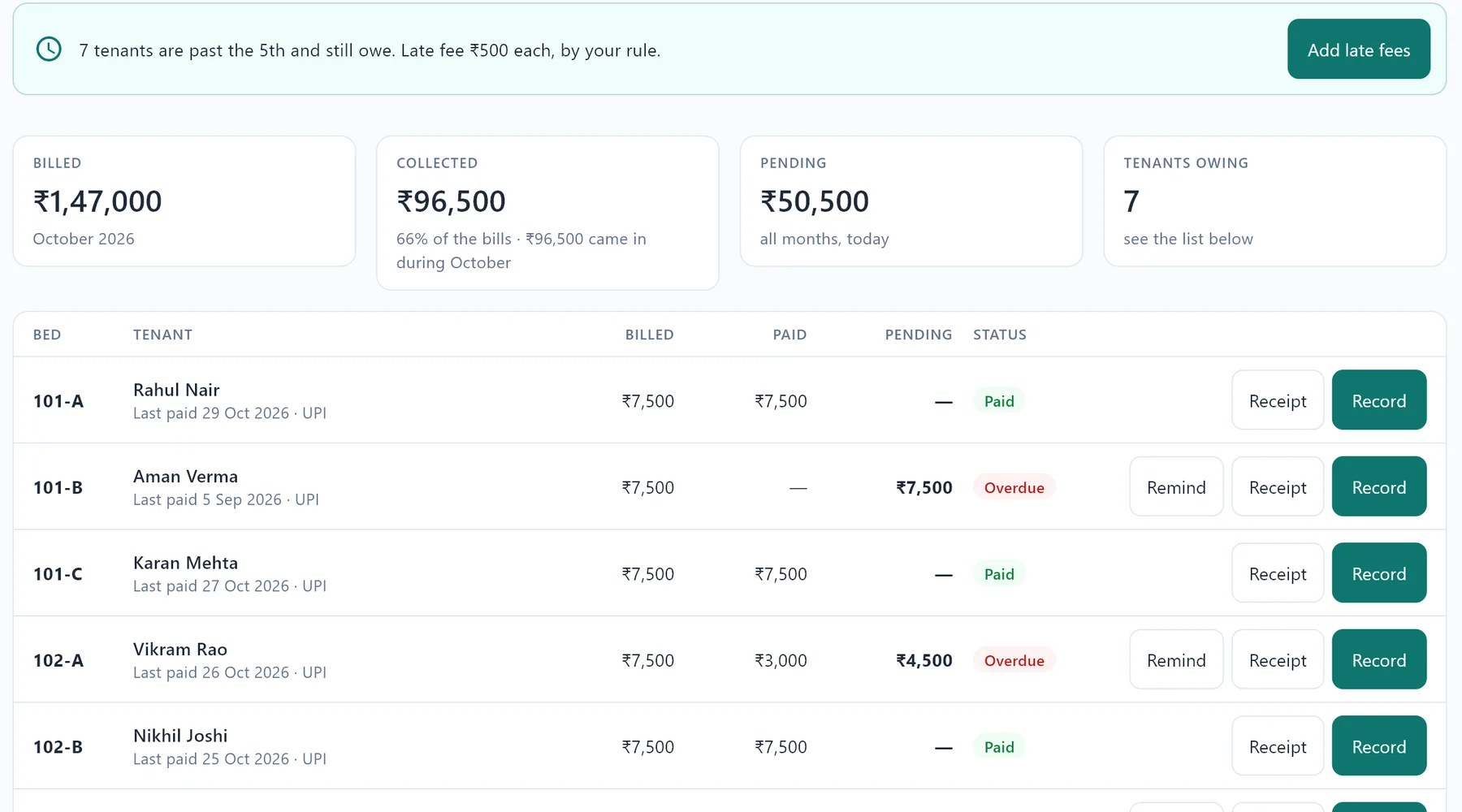
Rent, bills and deposits, worked out for every resident
Wi-Fi, food and electricity by room meter on the bill, late fees by your rule, and bank statements matched in a minute.
- Deposits, refunds and move-out settlements worked out, with a room checklist and photos from move-in
- Receipts, statements and HRA rent receipts for residents’ offices
Tenant management
Every room, bed and resident in one place
See what’s free, booked or soon free, hold beds with a token, and keep every resident’s papers in order.
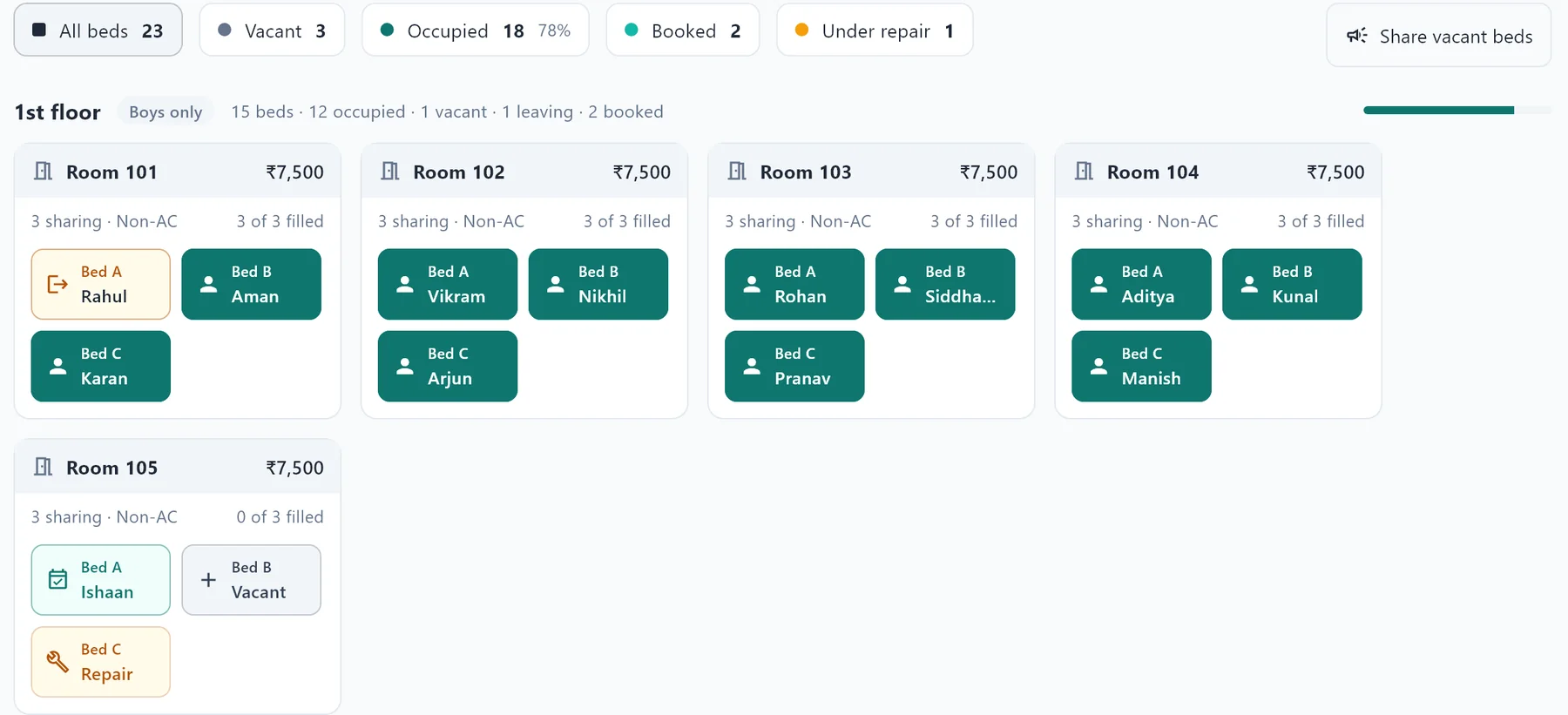
- Private rooms and shared rooms, side by side
- Agreements with renewal reminders, and rent changes at renewal
- Enquiries followed up until they move in
Residents come and go
From the first enquiry to the next resident
Every step of a stay, kept in order.
Enquiry
Followed up until they move in
Booking
A room or bed held with a token, even one still being vacated
Move in
Documents, agreement, police verification and a room check with photos
The stay
Rent, bills and requests, on their phone and your PC
Move out
Only new damage is charged, and the deposit settlement is worked out
Next resident
A poster of your free beds for WhatsApp and Instagram, in one tap
Privacy
Residents’ details stay with you
Nothing about your residents or your money sits on anyone else’s server.
On your own PC
Not on our servers, and it works without internet.
Backed up every day
To your USB drive or Google Drive, locked with your password.
On your own Wi-Fi
The tenant app never sends residents’ details over the internet.
Co-living questions
Co-living management software: what owners ask
Does it handle private rooms and shared rooms together?
Yes. Each room can have its own number of beds, from a single room to four sharing, and its own rent.
Can residents pay rent from their phone?
Yes, with the tenant app add-on: they pay by UPI, and you confirm it on your PC.
We run more than one property. Does Campus Nivas suit us?
Each property runs its own Campus Nivas today. Talk to us and we’ll suggest the best setup.
Can meals, Wi-Fi and electricity go on the rent bill?
Yes. Food, Wi-Fi and electricity by room meter go on each resident’s bill. With the mess add-on, residents can skip a meal from their phone.
How do I fill rooms when residents move out?
Campus Nivas shows the beds free now and soon, and makes a poster of them for WhatsApp and Instagram in one tap.
See it with your own co-living space
Book a free demo and see rent, the tenant app and bank matching with your own rooms.
WhatsApp: +91 00000 00000 · Email: hello@example.com